


According to the Society of Motion Picture and Television Engineers (SMPTE), the optimal horizontal viewing angle for a home cinema is 30 degrees – a standard that most residential setups never actually hit. The result is a room full of expensive equipment that consistently underdelivers, not because of what was bought, but because of how the space was configured.
That gap between a technically equipped room and a genuinely immersive one comes down to decisions that happen before installation begins: how the room is shaped, where the seats sit relative to the screen, how speakers relate to the listening position, and how the seating itself is specified. Get these right, and every component performs better. Miss them, and no upgrade budget closes the gap.
Home theater configuration is the set of spatial and acoustic decisions that determine how a room's components interact, covering room dimensions, screen placement, speaker layout, and seating arrangement as an integrated system. This guide covers what actually matters, based on the engineering standards professionals use.
How to Configure a Home Theater Room for Maximum Immersion
Start With Room Dimensions, Not Equipment
The most common planning mistake is selecting display and audio equipment before understanding how the room's proportions will constrain them. Room acoustics are governed by the ratio of length to width to height. Identical dimensions in any two axes – a square footprint, for instance – create standing waves that cause certain bass frequencies to cancel and others to accumulate unpredictably.
A widely used ratio for home theater room layout is 1 : 1.6 : 2.4 (height to width to length). For a room with a 10-foot ceiling, this translates to 16 feet wide and 24 feet deep. Staying within this proportional range produces more consistent bass response across the primary seating area – a result that room correction software can refine but not manufacture from scratch.
Rectangular rooms with the screen on the shorter wall give the best foundation. They allow symmetric speaker placement relative to the listening position and provide natural depth for appropriate viewing distance.
Calculate Viewing Distance Before Placing Seats
Viewing distance is the most consequential decision in home theater seating placement, and the one most often handled by guesswork. Two industry standards define the target range:
- THX recommends a 36-degree horizontal viewing angle, translating to a screen diagonal of roughly 0.84 times the seating distance. At 12 feet, that means a screen of approximately 121 inches for maximum immersion.
- SMPTE recommends a 30-degree angle, roughly 0.625 times the seating distance, producing a more relaxed, wide-room feel appropriate for multipurpose spaces.
For a dedicated cinema room, the THX standard is the right target. For a family media room used for a mix of content, SMPTE provides a more forgiving sweet spot that accommodates varied seating positions without strain.
The practical implication: seat placement determines screen size, not the other way around. Confirm the seating position first, then size the display to match. Reversing this order is how rooms end up with screens that feel too small from one angle and too large from another.
Position the Screen at the Right Height
Screen center height is frequently underspecified. The standard recommendation is to mount the screen so its center falls at eye level when seated, typically 42 to 48 inches from the floor for standard-height seating. At the same time, THX guidelines advise that viewers should not have to look up more than 15 degrees to see the top of the screen.
In rooms with riser platforms and two seating rows, screen height becomes a more complex calculation. The screen must be visible over the heads of front-row viewers from the second row, which usually means raising the center height slightly while ensuring it stays within the 15-degree vertical comfort limit for front-row viewers.
Get this wrong, and no amount of display calibration corrects the physical strain on necks during long sessions.
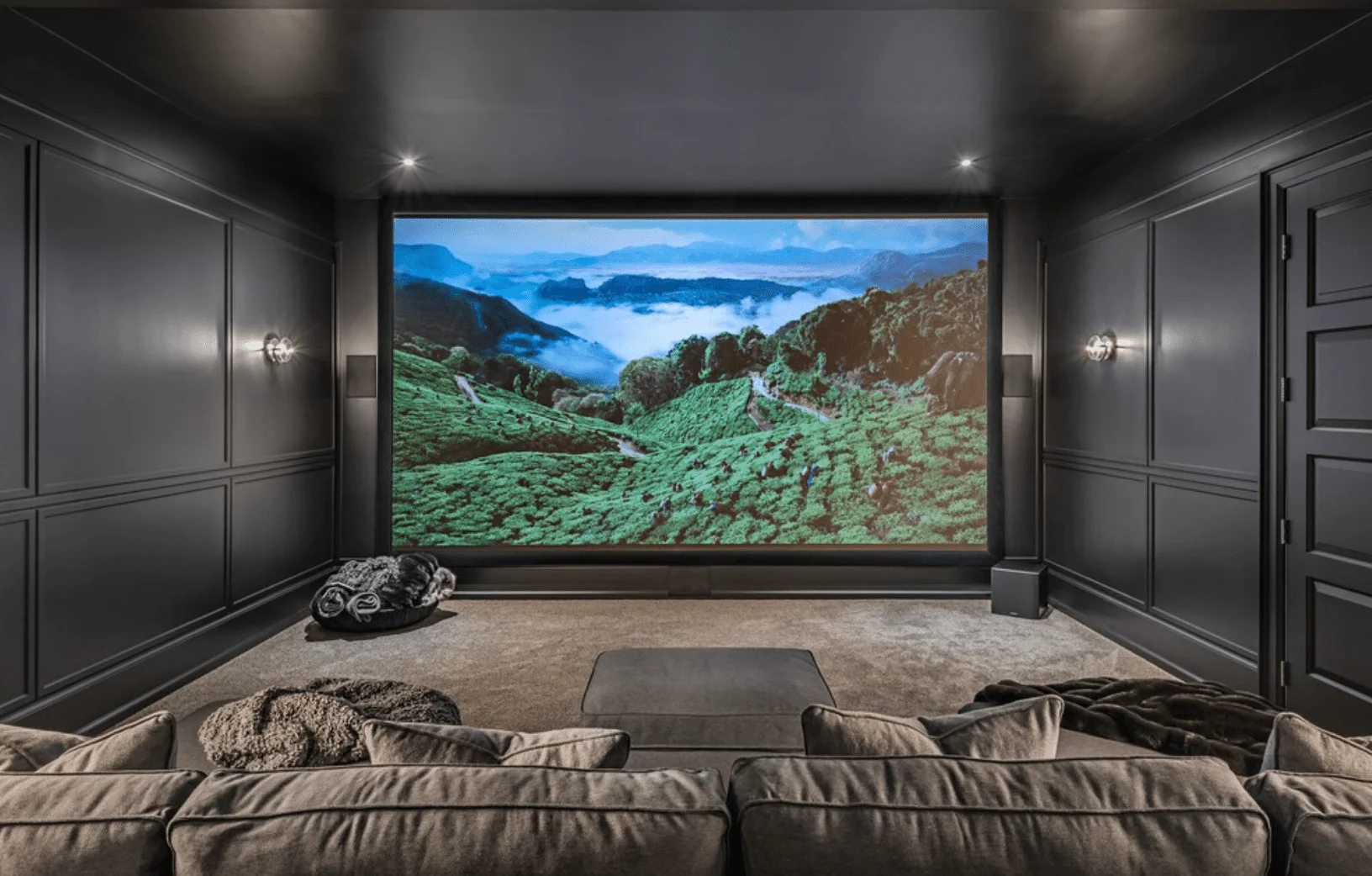
Configure Speaker Placement Around the Listening Position
The best home theater configuration for audio places speakers in relationship to the primary listening position, not the room walls. For a 5.1 system, the front left and right channels should form a 30-degree angle with the listener at the apex. The center channel sits directly on the screen axis. Surround speakers work at 90 to 110 degrees from the listening position.
For Dolby Atmos configurations (7.1.2 or higher), height channels are added above and slightly forward of the listening position. According to CE Pro's 2025 survey data, 75% of professional home theater integrators now install six or more surround speakers per project, and 41% install nine or more – a clear signal that multi-channel formats have moved from premium option to professional baseline.
The critical constraint: speaker positions must be established before finalizing seating, because the seats anchor the geometry from which all speaker angles are measured.
Plan Home Theater Seating Configuration to Lock In Sightlines
Home theater seating placement is the axis around which every other spatial decision rotates. Seats that are too close create eye strain; too far back, and the screen loses its immersive pull. Off-center seats introduce asymmetric audio that no receiver calibration fully corrects.
- For single-row layouts, the primary position should sit on the room's center axis, equidistant between the left and right side walls, within the THX or SMPTE viewing distance for the chosen screen size.
- For multi-row home theater seating configurations, the second row requires a riser platform, typically 8 to 12 inches, to ensure unobstructed sightlines. Riser depth should be a minimum of 6 feet to allow clearance in front of reclined chairs; 6.5 to 7 feet gives more comfortable passage without requiring viewers to step over footrests. A ceiling height of at least 9 feet is required to accommodate the riser and maintain adequate headroom in the second row.
Row spacing – the distance between the front of one row's seats and the back of the next – must account for full recliner throw depth. This single measurement trips up more theater builds than any other. A power recliner extends 18 to 24 inches when fully reclined; if row spacing doesn't account for this, the back row can't recline without contacting the riser face.
Commercial-grade seating makes a measurable difference in multi-row configurations. Elite HTS theater chairs are built to the same specifications used in VIP cinemas – heavy-duty mechanisms, high-resilience foam, and ergonomic design developed with input from a chiropractor – with exact recliner dimensions available at the design stage so row spacing can be calculated correctly before the floor plan is finalized. Explore Elite HTS custom configurations for single-row and multi-row layouts.
Treat Acoustics as Part of the Configuration, Not an Add-On
Acoustic treatment is part of the room configuration, not a finishing touch. The practical sequence: identify first reflection points on side walls and ceiling (a mirror test from the listening position reveals them), then treat those points with absorption panels. Bass traps in floor-to-ceiling corners address low-frequency buildup. Heavy carpet eliminates floor-bounce reflections.
An untreated room running a quality audio system sounds worse than a treated room running a modest one. The physics of early reflections and room modes are not corrected by processing; they're addressed in the room itself.
For designers and builders coordinating theater specifications, Elite HTS works directly with trade professionals to provide seating dimensions and weight specifications early, ensuring structural planning for risers and floor support happens at the right stage of the build.

Home Theater Configuration at a Glance
Configuration Is What Separates Good Rooms from Great Ones
Every component in a home theater performs relative to how the room is configured around it. A display sized correctly for its viewing distance, speakers placed at the right angles from the listening position, and seating specified with accurate throw depth – these decisions don't add to the experience so much as they allow the investment to deliver what it's capable of.
The best home theater configuration isn't the most technically complex one. It's the one where every spatial decision was made intentionally, in the right order, before anything was installed.
Speccing a theater build and need seating dimensions before finalizing your floor plan? Contact Elite HTS for commercial-grade, custom-built theater chairs – ergonomically designed, with exact recliner dimensions available at the design stage and a 20-year warranty.
Frequently Asked Questions
What is the best home theater configuration for a rectangular room?
Place the screen on the shorter wall with seating centered on the room's long axis. This allows symmetric speaker placement and provides natural depth for appropriate viewing distance within THX or SMPTE guidelines.
How far should seating be from the screen in a home theater?
THX recommends a viewing distance where the screen subtends a 36-degree horizontal angle, roughly 1.2 times the screen's diagonal measurement. SMPTE recommends 1.6 times the diagonal for a less immersive, more comfortable wide-room feel.
How do I configure home theater seating for two rows?
The second row needs a raised platform of 8 to 12 inches and riser depth of at least 6 to 7 feet when using power recliners. Confirm full recliner throw depth before finalizing row spacing – this measurement determines whether front-row chairs can recline without hitting the riser face.
How does seating placement affect sound quality?
The listening position determines the geometry of every speaker angle. Off-center seating introduces timing and level asymmetries between left and right channels that receiver calibration reduces but cannot fully correct. Centering the primary seat on the room's axis is the single most impactful audio configuration decision.
What ceiling height is needed for a two-row home theater? A minimum of 9 feet is required to accommodate a standard 8 to 12-inch riser platform while maintaining comfortable headroom in the second row. Lower ceilings restrict both riser height and speaker placement for height channels in Dolby Atmos configurations.
How do I know if my home theater seating placement is correct?
From the primary listening position: the screen center should be at eye level or within 15 degrees above it, the screen should subtend approximately 36 degrees of horizontal field of view (THX), and each speaker pair should be equidistant from the listening position on both sides. Any deviation affects either visual comfort or audio imaging.